
Beattie Electrical

Powerpoint Installation Sydney

Not enough outlets in the kitchen. A cracked GPO behind the desk that you've been avoiding. A spot on the patio where an outdoor powerpoint would finally let you skip the extension cord snaking through the back door. Whatever's brought you here, adding or upgrading a powerpoint is one of the most common jobs our Sydney electricians are called out for and one of the easiest to get wrong if it's not done by someone qualified.

At Beattie Electrical, we install, move, upgrade and repair powerpoints across homes and small businesses in Sydney, all carried out by licensed electricians and signed off with a Certificate of Compliance. Whether you need one extra outlet in a home office or a full room’s worth of double GPOs during a renovation, we’ll assess your switchboard, plan the cable run, and get it done with minimal disruption to your day.

Types of Powerpoint Installation We Handle

Every property and every job is different, so we tailor the outlet, the circuit and the faceplate to what you’re actually plugging in. Here are the installation types we handle most often across Sydney.

Single Powerpoint Installation

Sometimes all you need is one extra outlet beside a bed, behind a desk, or in a spot that was missed during the original build. We work out the shortest practical cable run from the switchboard or a nearby circuit, fit a quality faceplate, and test the outlet before we leave.
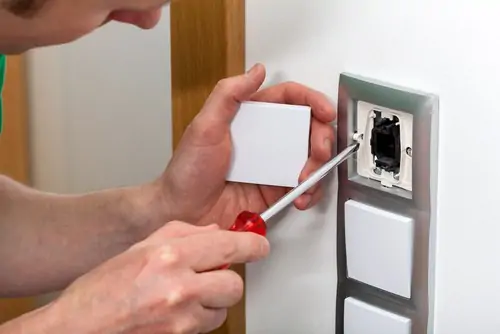
Double GPO Upgrade

Swapping a tired single outlet for a double GPO is one of the most requested upgrades we do, and it's usually a same-visit job. It instantly doubles what you can plug in at that spot without opening up walls or running new circuits in most cases.

Powerpoint Relocation

Renovations, new furniture layouts and TV wall-mounts often mean the existing powerpoint is in the wrong place. We can move an outlet to where you actually need it, make good the old position, and get the new one fitted flush and level.

USB and USB-C Powerpoints

If your bedside table or kitchen bench is cluttered with USB adaptors, a built-in USB or USB-C powerpoint solves that permanently. We fit these into the existing wiring in most cases, so there's no need to chase new cable through the wall.

Smart Wi-Fi Powerpoints

For anyone wanting app control or usage monitoring on specific circuits: an aquarium, a pool pump, outdoor lighting a Wi-Fi enabled powerpoint gives you remote on/off control from your phone. We'll talk you through which brands play nicely with your existing home network setup.

Switched Powerpoints

A switched outlet lets you isolate an appliance at the wall instead of pulling the plug every time handy for range hoods, dishwashers, microwaves and dryers. It's a small detail that makes daily use of the kitchen or laundry noticeably easier.

Weatherproof and Outdoor Powerpoints

Anything installed outside needs to be rated for the elements, not just bolted on and hoped for the best. We fit IP-rated enclosures suited to the exposure level of the spot — covered patios need less protection than an open garden wall or pergola post.

15A and 20A Powerpoints

Air conditioners, EV chargers, welders and some trade tools draw more current than a standard 10A outlet is built for. These need their own dedicated circuit sized to the load, with a wider pin configuration so the wrong plug physically can't go in the wrong socket.

RCD-Protected Powerpoints

Kitchens, bathrooms and outdoor areas all require RCD (safety switch) protection on their powerpoint circuits under AS/NZS 3000. If your switchboard is older, we'll check whether your existing RCD coverage actually extends to the new outlet, and upgrade it if it doesn't.

Recessed and Floor-Mounted Powerpoints

For a wall-mounted TV with no visible cables, or a kitchen island that needs power without a cord running across the floor, a recessed or floor-mounted powerpoint gives a cleaner finish. These take a bit more planning around the cavity and cable path, which we'll walk you through during the quote.

Signs You Need a Powerpoint Installed Upgraded or Repaired

You're relying on power boards or double adaptors in more than one room

A powerpoint feels warm to the touch, or the faceplate has visible scorch marks

Plugs feel loose, or fall out of the socket under their own weight

You hear a crackling or buzzing sound near an outlet

The safety switch trips whenever a specific appliance is plugged in

You're renovating a kitchen, bathroom or home office and current outlets won't cut it

Safety Considerations


Powerpoints carry a live 240V connection, and the risks of getting it wrong aren’t theoretical — loose terminals and missing earth bonds are a genuine cause of electric shock and house fires. This is why powerpoint work in NSW is licensed work under the Service and Installation Rules, and why DIY powerpoint installation isn’t just risky, it can also void home insurance if something later goes wrong.

Why Sydney Homes and Businesses Need More (or Better) Powerpoints

Most Sydney properties, especially older terraces, federation homes and units built before the 2000s, simply weren't wired for how we use power today. A single powerpoint per room made sense when a house had one TV and a lamp. Now it's a laptop charger, a phone, a monitor, a heater and a lamp all fighting over the same double outlet usually via a double-adaptor stacked on a power board, which is its own fire risk.

New powerpoints get added for all sorts of reasons: a home office fit-out, a kitchen renovation that needs bench-level GPOs, an EV charger circuit, outdoor entertaining areas, or simply because a rental inspection flagged an overloaded outlet. Whatever's driving the job, the fix is the same as a correctly sized, correctly protected powerpoint installed by someone licensed to do it.

Repair Process

Our Installation and Repair Process

We look at the location, check switchboard capacity, and confirm the best cable path before quoting

you get a clear quote before any work starts, with nothing sprung on you afterwards

we test the existing circuit and RCD protection so the new or repaired outlet is going onto a sound base

cabling, termination and fitting, done neatly and with minimal mess

polarity, earth integrity and RCD operation are tested, and your Certificate of Compliance is provided

Powerpoint Repairs and Replacement

Cracked or physically damaged powerpoints

often from furniture knocks, vacuum cleaners or general wear in high-traffic areas

Loose or worn sockets

that no longer hold a plug securely, which increases arcing risk

Scorched, discoloured

or melted faceplates, usually a sign of a loose termination that's overheated

Powerpoints that spark

on plugging or unplugging, which should be stopped using immediately

Water-affected outlets

in bathrooms, laundries, kitchens or outdoor areas, which should be replaced rather than dried out and reused

Powerpoints that trip

the safety switch repeatedly, which can point to a fault in the outlet itself or the circuit it's on

If you’re not sure whether a powerpoint needs a full replacement or just a repair, that’s exactly what the site visit is for we’ll test it properly and give you a straight answer rather than replacing things that don’t need it.
Advice

Preventative Maintenance Advice

A powerpoint doesn't need much upkeep, but a few habits go a long way: don't overload a single outlet with stacked adaptors, get anything that feels warm or looks discoloured checked immediately rather than waiting, and if you're renovating, have your electrician review the switchboard capacity before adding new circuits rather than after.

If it's been more than a decade since your switchboard was assessed, it's worth having it looked at alongside any powerpoint work.

Why Professional Electrical Work Matters

Powerpoint installation is one of those jobs that looks simple from the outside and genuinely isn’t. Getting a licensed electrician means the cable is sized correctly for the load, the earth is properly bonded, the RCD protection is actually in place and tested, and you walk away with a Certificate of Compliance that protects you — not just a socket on the wall that happens to work today.
Tips

Frequently Asked Questions

How much does it cost to install a powerpoint in Sydney?
It depends on the cable run, whether it’s a straightforward add-on to an existing circuit or a new dedicated circuit, and the type of outlet you’re after. We provide a fixed quote after assessing the job on site rather than guessing over the phone.
No. Powerpoint installation is licensed electrical work in NSW under the Service and Installation Rules. Aside from the safety risk, unlicensed work can void your home insurance.
A single outlet on an existing circuit is usually a one to two hour job when an electrician is on site. A new dedicated circuit or a longer cable run can take longer, which we’ll flag at the quote stage.
No council permit is required, but the work has to be carried out by a licensed electrician and signed off with a Certificate of Compliance lodged with NSW Fair Trading.
In most cases, yes we can swap the existing faceplate for a USB-equipped unit using the wiring that’s already there, without needing to open up the wall.
Yes. Any outdoor powerpoint needs an appropriate IP rating under AS/NZS 3000, with the rating depending on how exposed the location is.
Warning signs include sparking, scorch marks, a socket that no longer grips a plug firmly, or a circuit that trips repeatedly. If you’re seeing any of these, it’s worth having it checked rather than waiting.
This depends on the circuit rating and the loads involved it’s assessed on a case-by-case basis, which is why high-draw rooms like kitchens and home offices often benefit from their own dedicated circuit.
Under AS/NZS 3000, RCD protection is required on powerpoint circuits in most residential situations, including kitchens, bathrooms and outdoor areas. We check this as part of every job.
Get a free quote